
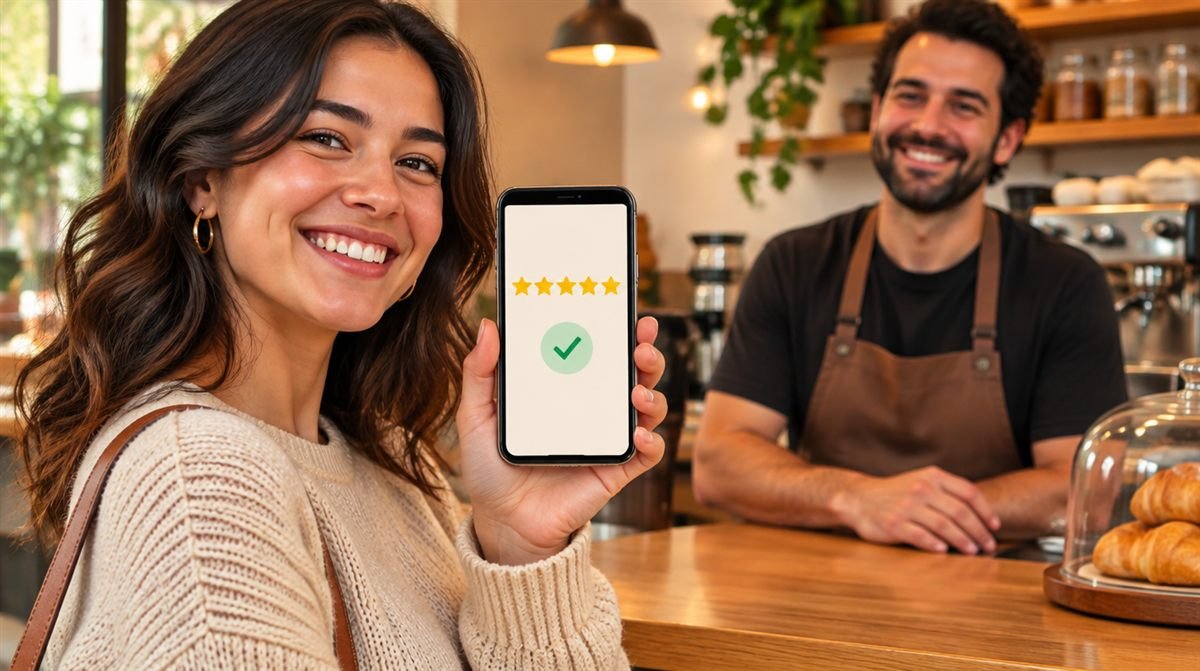
Most local businesses have far more happy customers than Google reviews. A dental clinic might see 300 patients a month and collect four reviews. A restaurant can be full every weekend and still sit at 38 reviews while the place down the road has 600.
The difference is almost never the quality of the service. It’s whether the business asks, and how easy they make it. Here’s the system we set up for local clients, and the shortcuts you should stay well away from.
Why reviews matter more than people think
Reviews do two jobs. First, they’re one of the factors Google uses to decide who shows up in the map pack, the three businesses that appear above the normal results for searches like “physiotherapist near me”. Google’s own help page on local ranking mentions review count and score directly.
Second, and honestly more important, they’re what makes someone pick you once they see you. A 4.7 with 220 reviews beats a 5.0 with 6 reviews almost every time. People trust volume and recent activity more than a perfect score.
Step 1: Get your direct review link
Don’t send people to “search for us on Google and leave a review.” That’s three steps too many. In your Google Business Profile dashboard, click Ask for reviews and copy the short link. It opens the review box directly.
Turn that link into a QR code too (any free QR generator will do). You’ll use both.
Step 2: Ask at the right moment
Timing is everything. Ask when the customer is happiest, not when it’s convenient for you.
- Restaurant: when the bill comes and they’ve just said the food was great
- Clinic: at checkout after a successful appointment, not after the bill shock
- Service business: right after the job is finished and they’ve seen the result
- Ecommerce: a few days after delivery, once they’ve actually used the product
A spoken ask from a real person works better than any automated email. Something like: “Really glad it worked out. If you’ve got a minute, a Google review helps us a lot. I can send you the link.” Short, human, no pressure.
Step 3: Make it a habit, not a campaign
Businesses often do a big push, get 30 reviews in a week, then nothing for six months. Google and customers both notice the pattern. A steady flow of reviews every week looks far more natural and keeps your profile fresh.
Build the ask into something that already happens:
- Add the link to your invoice or receipt email
- Put the QR code on the reception desk, table tent or packing slip
- Add a line to your WhatsApp follow-up message after a job
- Include it in your post-purchase email flow if you run an online store
What you must not do
Google’s review policies are strict, and in 2025 and 2026 enforcement got noticeably tougher. Profiles caught gaming reviews can have reviews wiped, get a public warning banner, or have new reviews blocked for a period. Avoid these:
- Offering discounts or freebies for reviews. Even “10% off for a review” counts as incentivising.
- Review gating. Sending happy customers to Google and unhappy ones to a private form is against the rules.
- Buying reviews or swapping reviews with other businesses.
- Staff and family writing reviews. Google is good at spotting these from location and account data.
- Setting up a review station where customers use your tablet in the shop. Lots of reviews from one device and one IP address look fake, because they often are.
The safe rule: you can ask everyone, you can’t reward anyone, and you can’t filter who gets asked.
How to reply to reviews (including bad ones)
Reply to every review if you can. It shows future customers that someone is paying attention.
For good reviews, keep it short and specific. “Thanks Priya, glad the root canal was less scary than expected!” beats “Thank you for your valuable feedback” copied 200 times.
For bad reviews, wait until you’re calm, then:
- Thank them and acknowledge the problem without arguing.
- Give a short explanation only if it genuinely helps (not excuses).
- Offer to sort it out offline with a phone number or email.
Remember that you’re not really writing to the angry customer. You’re writing to the next hundred people who read the exchange. A calm, fair reply to a harsh review often wins more trust than a page of five stars.
Can you remove a fake or unfair review?
Only if it breaks Google’s policies, for example spam, hate speech, a review from someone who was never a customer, or a competitor attack. You can report it through your Business Profile. A review that’s simply negative and honest won’t be removed, so focus on replying well and drowning it out with fresh, genuine feedback.
What a realistic target looks like
Aim to beat the average review count of the top three businesses in your map pack for your main search, then keep a steady weekly flow. Check it once a month. If you’re well below them, reviews are probably one of the biggest things holding your local ranking back.
Ready-to-use review request templates
Feel free to copy these and adjust the wording so it sounds like you. Keep them short. The longer the message, the less likely anyone reads to the link.
WhatsApp or SMS, sent the same day
“Hi Rahul, thanks for coming in today. Hope the new glasses are working well! If you have a minute, a quick Google review would really help our small team: [link]. Thank you!”
Email, sent after delivery or project completion
Subject: Quick favour?
“Hi Sarah, it was great working with you on the new website. If you’re happy with how it turned out, would you mind sharing a few words on Google? It takes about a minute and helps other businesses find us. [Leave a review]. And if anything isn’t quite right, just reply to this email and I’ll sort it out personally.”
Notice the last line. You’re giving unhappy customers a way to reach you, but you’re still sending everyone the same review link. That keeps you on the right side of Google’s rules on review gating.
In person
“Really glad you liked it. We’re a small business, so Google reviews make a big difference for us. Can I send you the link?” Then actually send it while they’re standing there.
What to ask customers to mention
You can’t tell people what to write, but you can make it easier for them to write something useful. A gentle prompt like “It helps if you mention which service you used” encourages reviews that mention things like “teeth whitening”, “kitchen renovation” or “Shopify store”. That’s more helpful for future customers reading them, and reviews that describe the actual service give Google more context about what your business does.
Photos help too. Reviews with photos of the finished work, the food or the product look more genuine and get more attention on your profile.
Make sure your team is on board
If the owner is the only one asking for reviews, it won’t last. Explain to front-desk staff, technicians or delivery teams why reviews matter, show them the script, and share new reviews in a team group when they come in. People are much more likely to ask when they see their own name mentioned by a happy customer.